

How to use CG FC200 to clone an Audi Simos8.6 TC1796 ECU?
Check the step-by-step guide below.
Kindly notice:
Direct read/write cloning on ECUs like MED17, EDC17, SIMOS12.X, SIMOS18.x, and SIMOS8.x (SIMOS8.5/8.6) can trigger fault codes. The correct method involves transferring immobilizer data, which requires converting the information before writing it to the new module—a necessity due to these systems’ advanced anti-theft (OTP) protection.
For example:
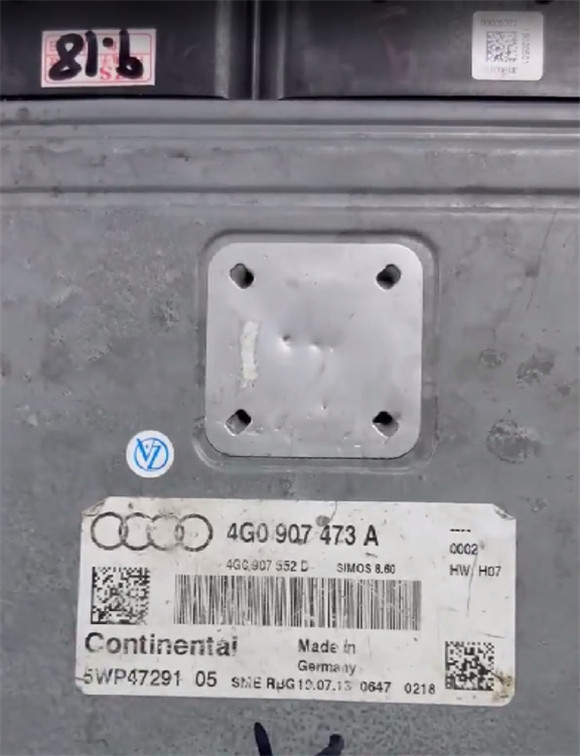
Audi A6L 2014 TFSI SIMOS8.6 ECU
Requirements:
- Ensure FC200 softwareis updated to the latest version (cloning support for VAG Simos 8.5, 18.x, and 12.x were added in V1.3.3.1).
CG FC200 V1.3.3.1 Update: Added Porsche VAG Clone and IMMO Data Parsing
- A stable internet connection is required for this function.
- FC200 must have an active subscription.
Main steps:
Step 1: Back up original ECU data
Step 2: Back up donor ECU data
Step 3: Transfer data (Calculate EXTeeprom data)
Step 4: Write ECU
In details…
Step 1.Back up original ECU data
Connect FC200 and computer via USB cable
Navigate to Audi-> Continental Simos8.6 TC1796-> Platform mode (bench mode)
Follow the wiring diagram in FC200 software to connect device and ECU properly
No need to open ECU or soldering
- Red= 12V
- Black= GND
- Yellow= CAN-L
- Green= CAN-H
- Brown= GPT-0
- Purple= GPT-1
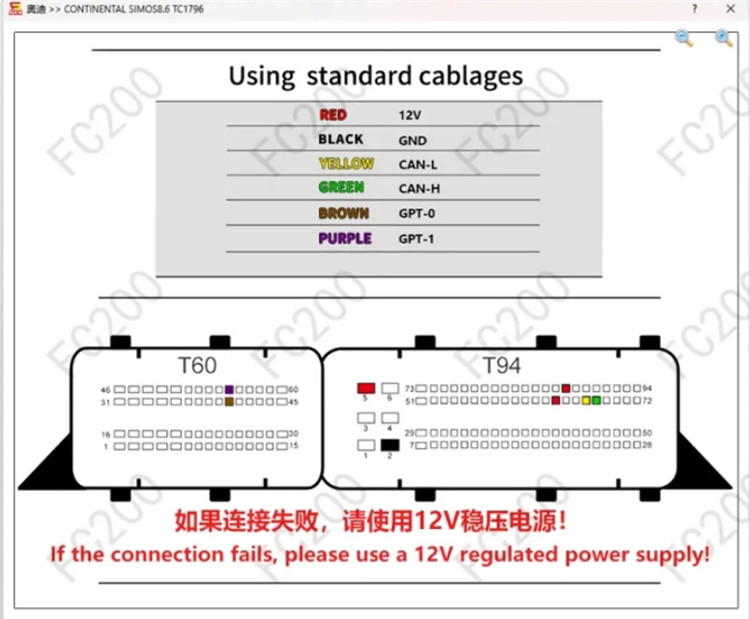
Use DB15 jumper cable to connect CG FC200 ECU programmer and Audi ECU.
If the connection fails, add a 12V regulated power supply.


Identify ECU
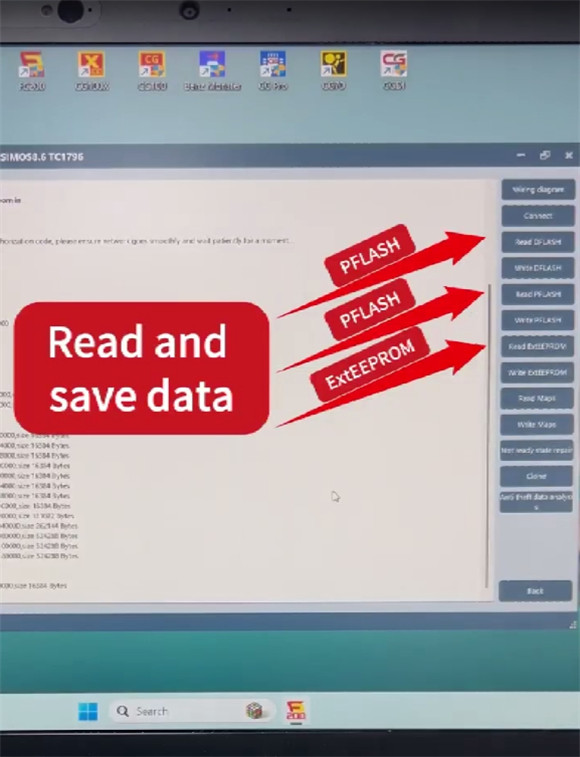
Read and save Dflash, Pflash and ExtEEPROM data in sequence
Step 2: Back up donor ECU data
Remove the original ECU and replace it with the new one
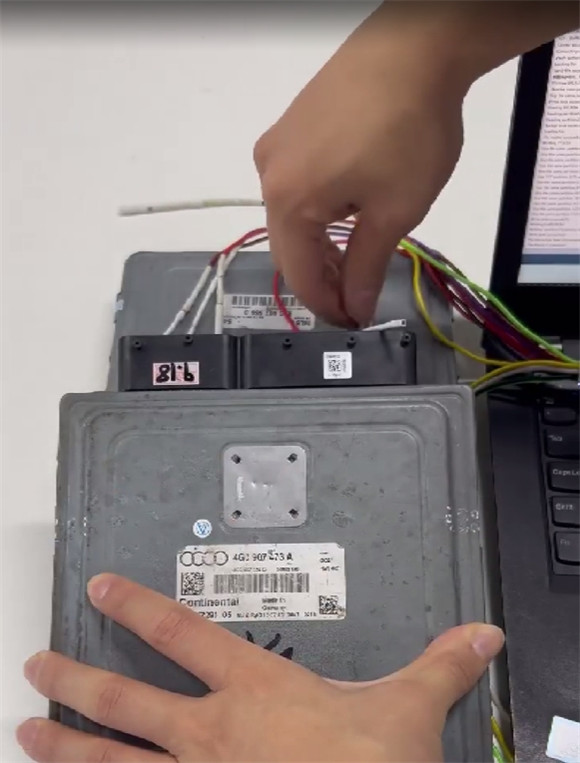
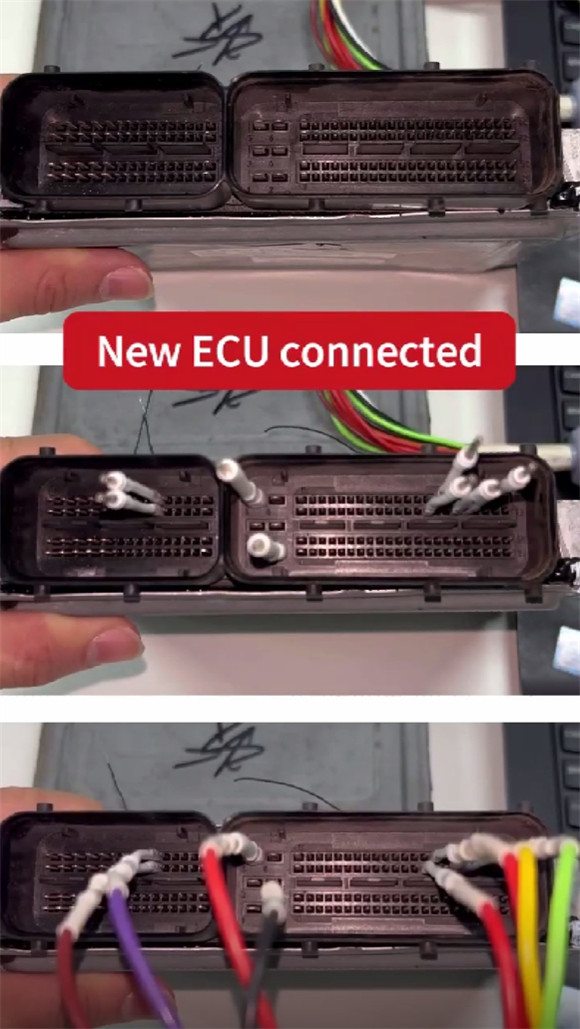
Use the same method to read and save Dflash, Pflash and ExtEEPROM data of new ECU
Step 3: Transfer data (Calculate EXTeeprom data)
Click “Clone” function
Open and upload original ExtEEPROM data and Pflash data separately
Then open and upload donor Pflash data.
Click “Yes”
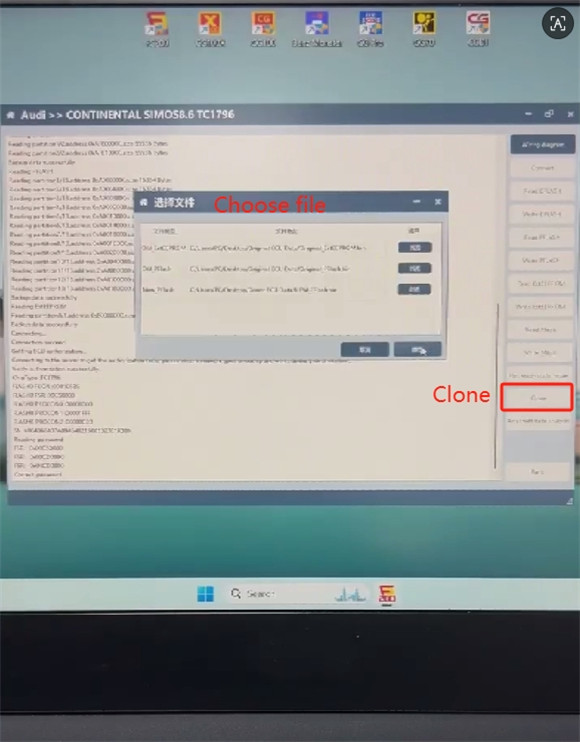
CG FC200 software is now performing calculations, which will cause the right panel to turn gray.
Within a few seconds, it will automatically finish processing and generate a processed data file.
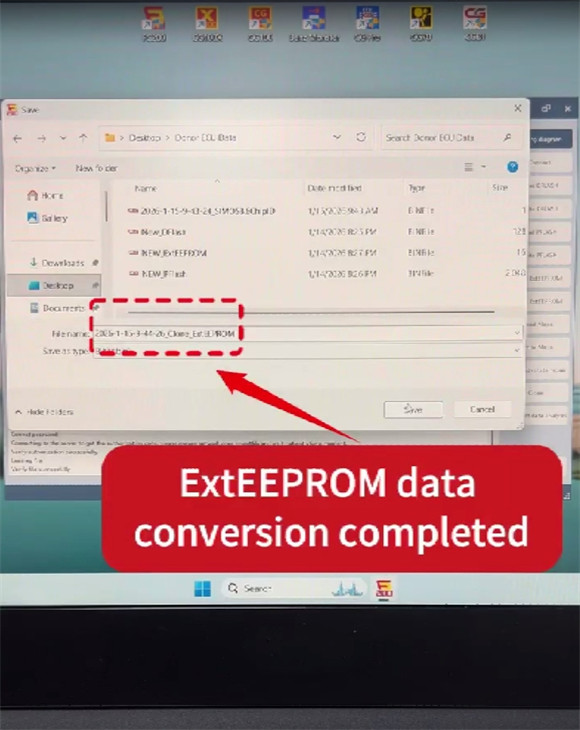
Save the calculated data (clone_ExtEEPROM) to desktop.
Step 4: Write ECU
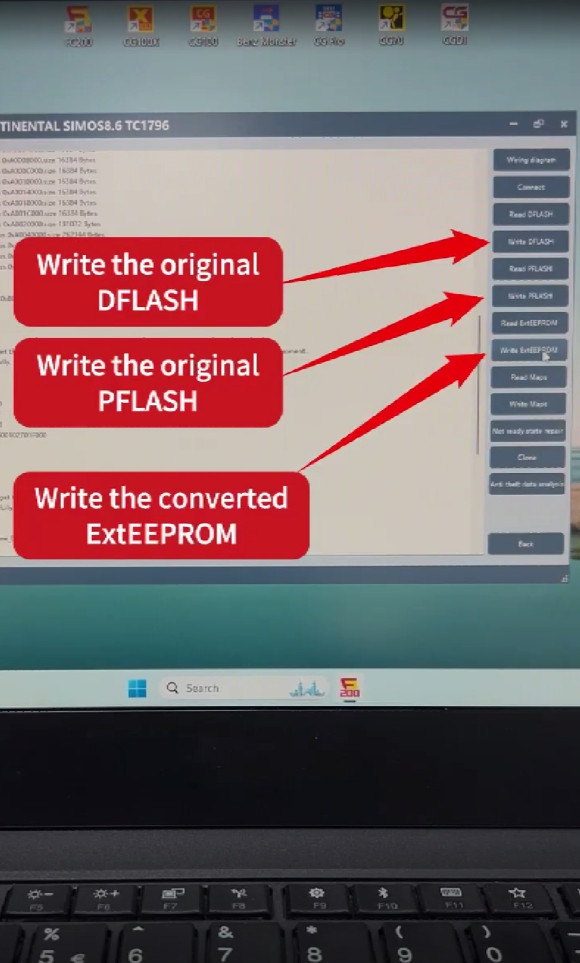
Click “Connect” to identify ECU again
Write original Dflash, original Pflash and the converted ExtEEPROM data to the donor ECU.
After all three data files are written, install the ECU back to the car.
There is no any fault code.
CG FC200 Programmer clones Audi Simos 8.6 TC1796 ECU successfully.
