
Have you ever used CG FC200 to perform an IMMO Off on a Volkswagen MED17.5.2 ECU, only to find that while the car starts successfully, the instrument cluster still displays an annoying “Immobilizer Active” light? Many technicians assume this is a flaw in FC200 algorithm, but the reality is often a procedural error.
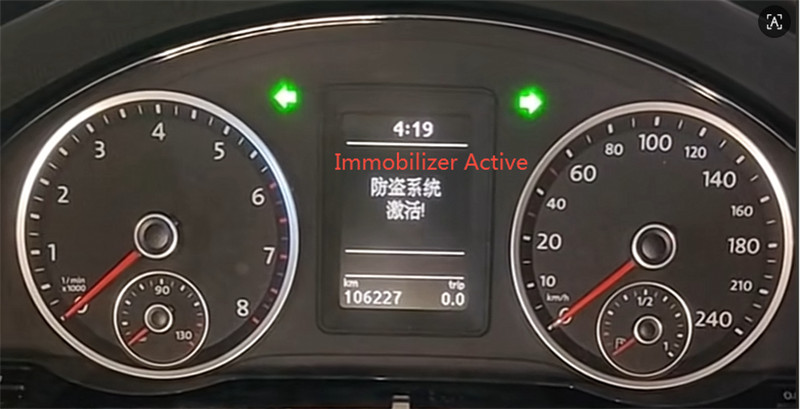
Follow the precise workflow detailed below.
- Vehicle and ECU Specifications
- ECU Model: Bosch MED17.5.2
- Vehicle Example: 2013 Volkswagen Passat 1.4TSI DSG (Prestige Edition)
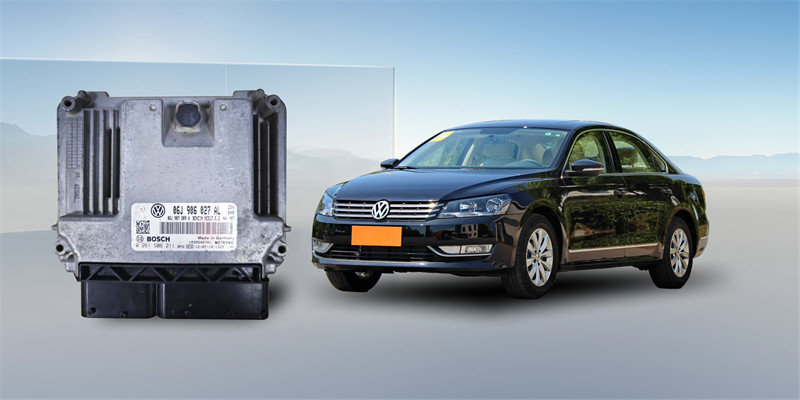
- ReadModule Data via Bench Mode
The first step is gathering the raw data without opening the ECU.
1.Select Mode: Open FC200 software and select Platform Mode (Bench).
VW-> BOSCH MED17.5.2 TC1767-> Platform
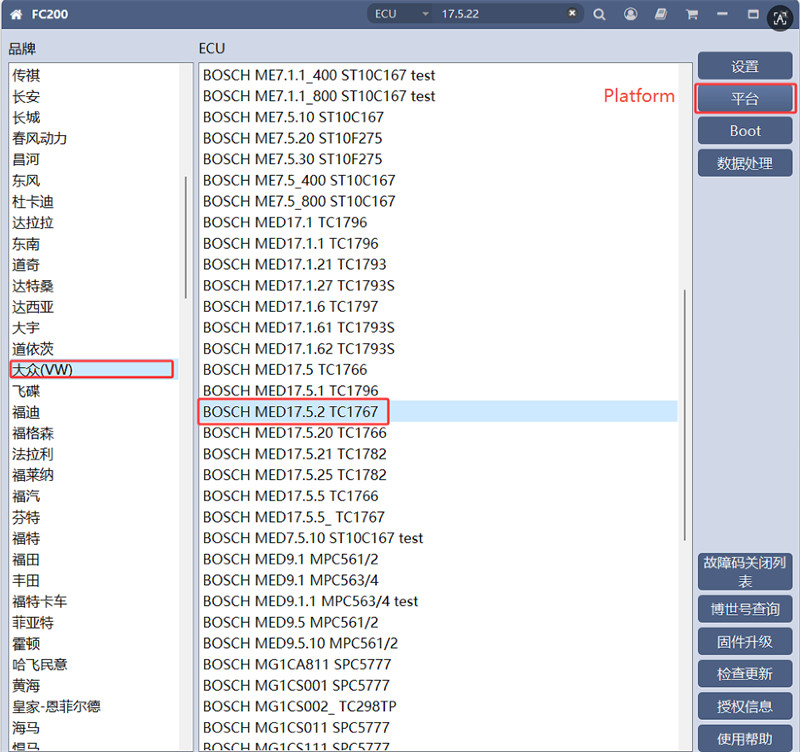
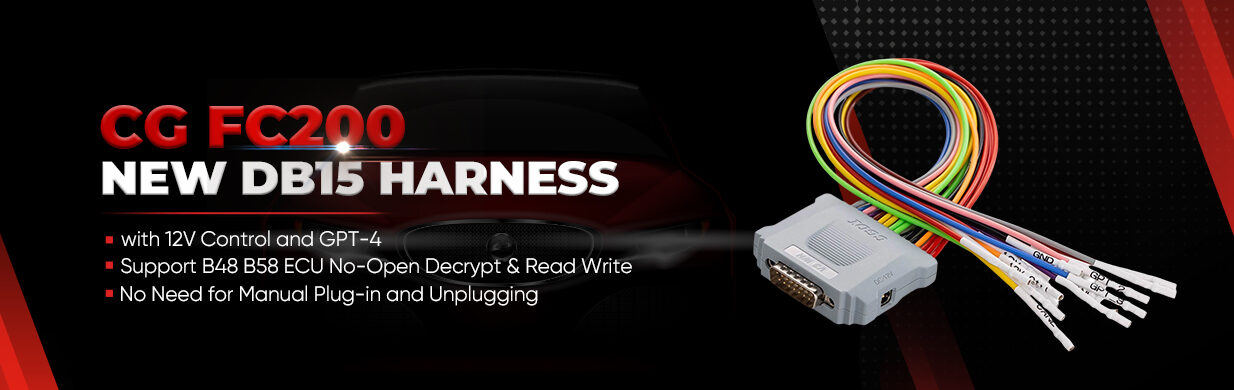
2.Wiring: Follow the provided Bench mode wiring diagram. Use FC200 DB15 harness to connect directly to the pins; no opening or soldering is required.
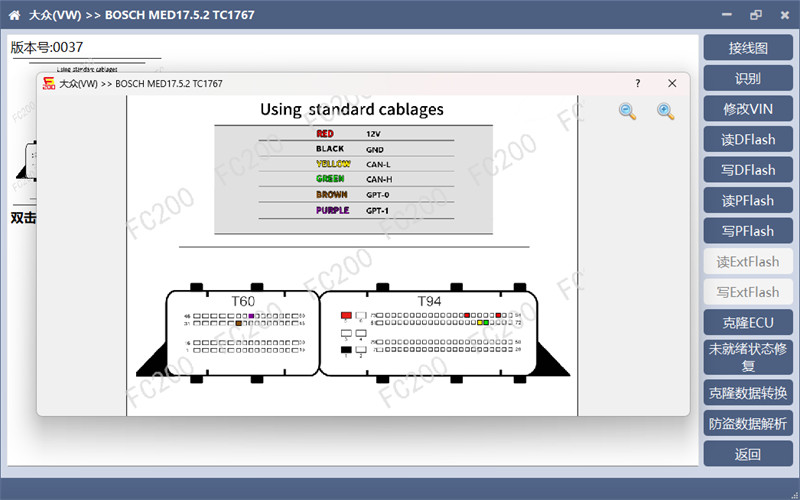
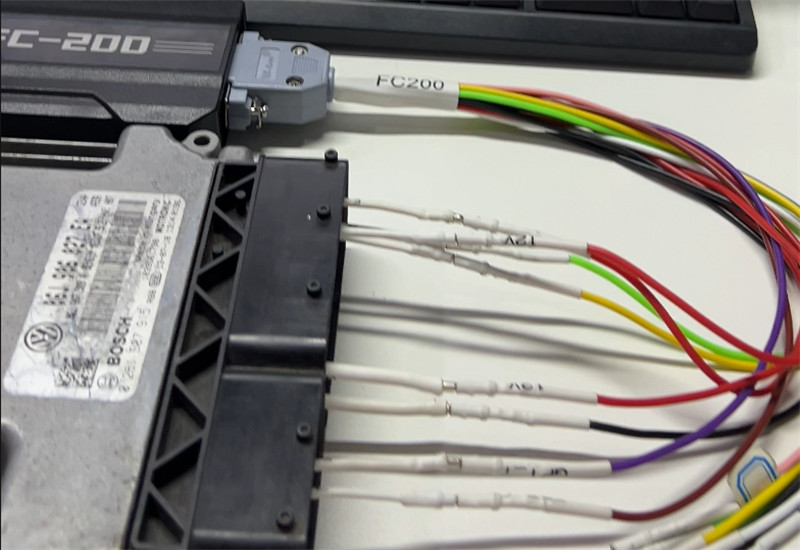
3.Identification: Click “Identify.” Once successful, read and save both the Dflash and Pflash data.
Crucial Note: While many believe only Pflash is needed for IMMO Off, the VW MED17 series requires preprocessing the Dflash data simultaneously for a clean result.
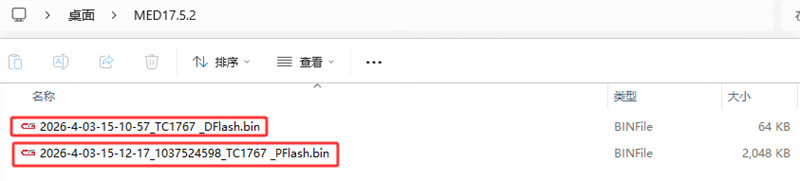
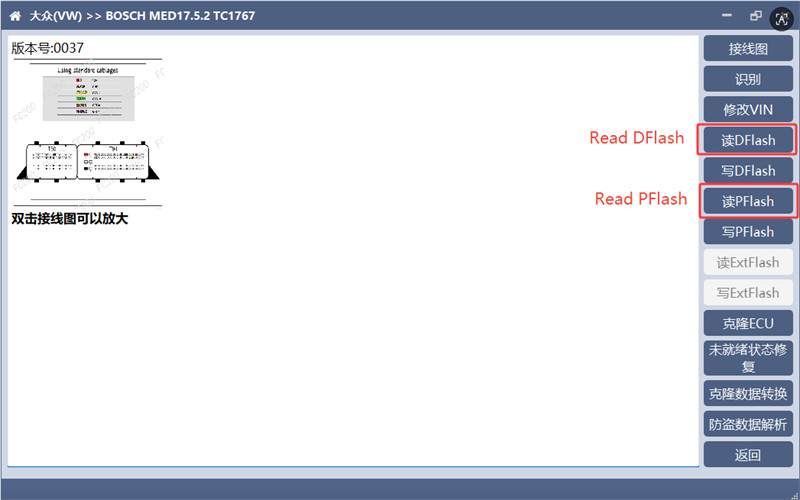
III. The Secret Step: Preprocess Dflash Data
This is the critical stage that many technicians skip, leading to cluster errors.
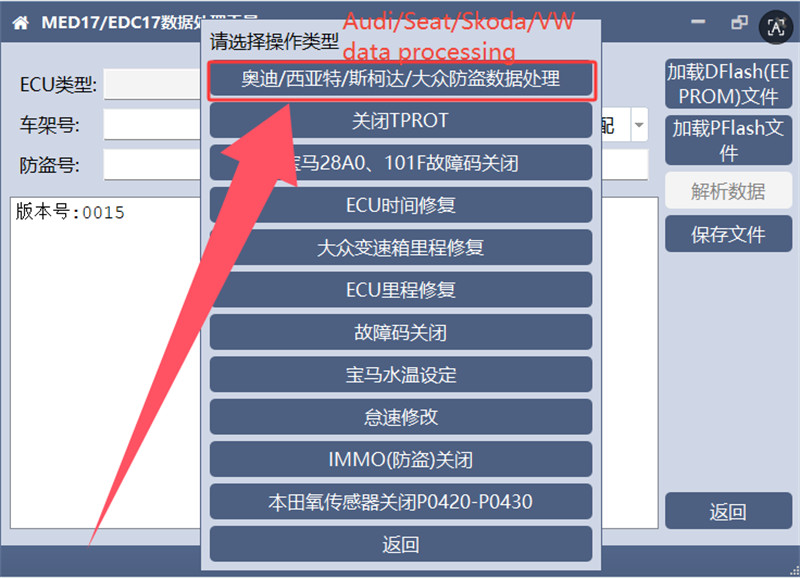
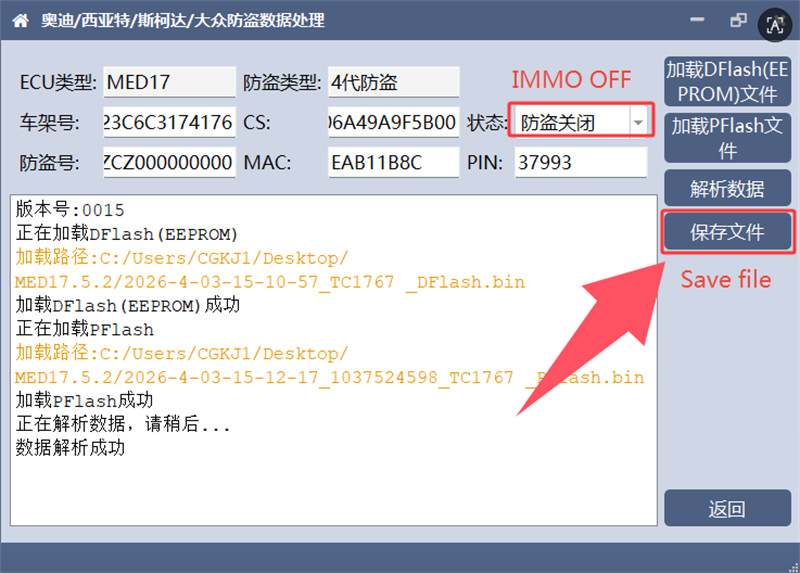
1.Data Processing: Navigate to the “Data Processing” menu and select “VW IMMO Data Processing.”
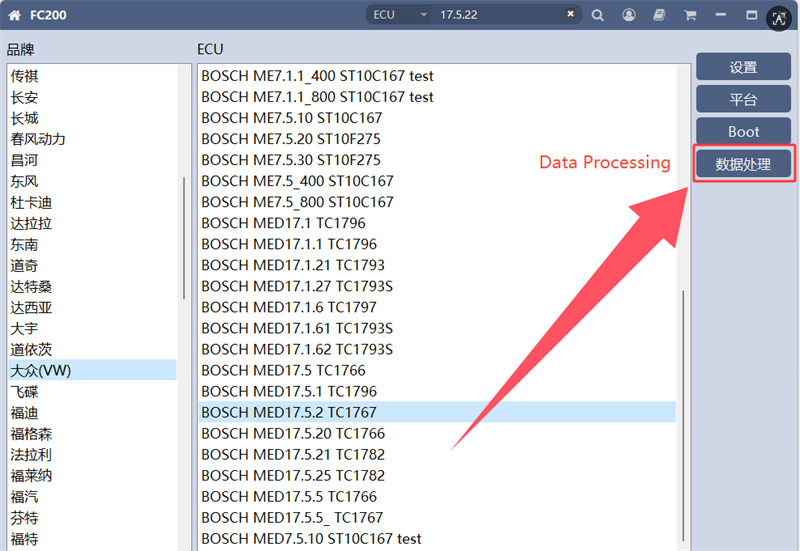
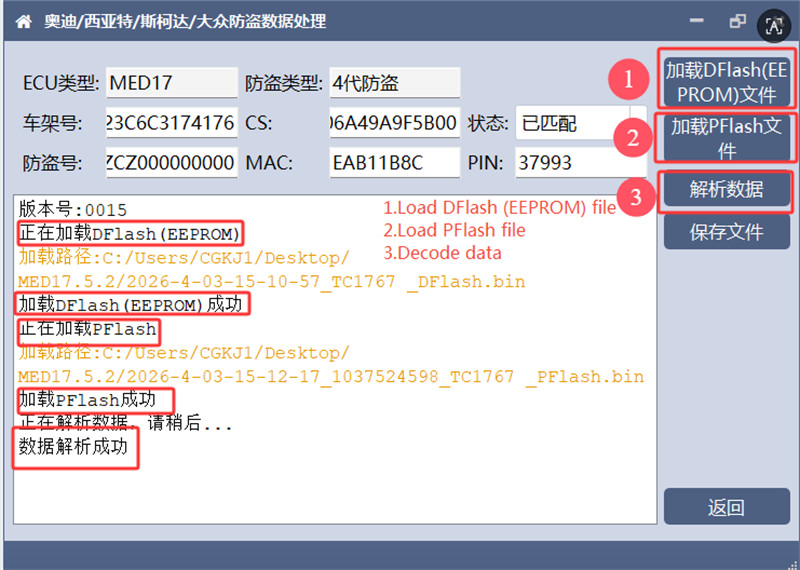
2.Load Files: Load both your original Dflash and Pflash files. Click “Analyze Data.” You should see the software successfully parse the VIN, CS code, MAC code, and PIN.
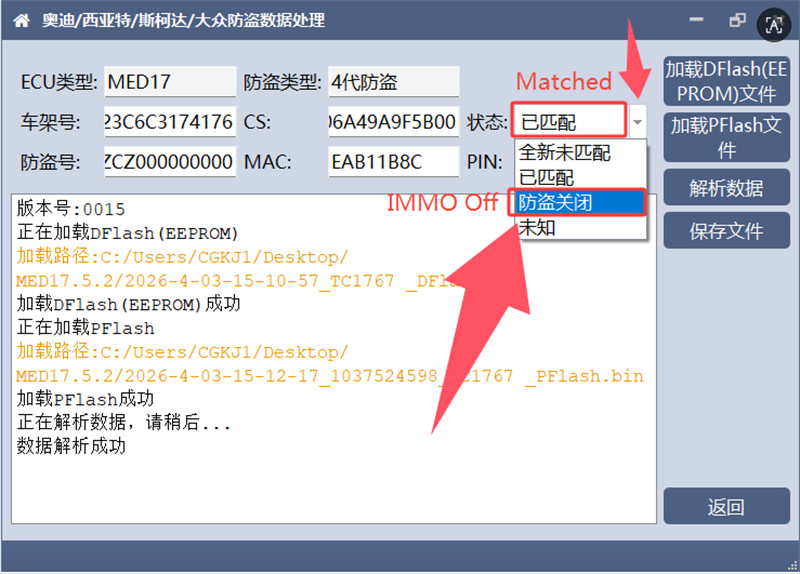
3.Set Status: Locate the “Status” field. Click the small arrow on the right and select “IMMO OFF.”
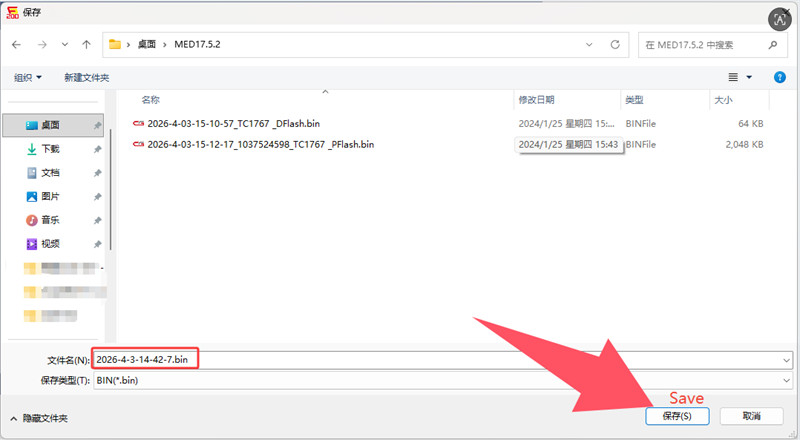
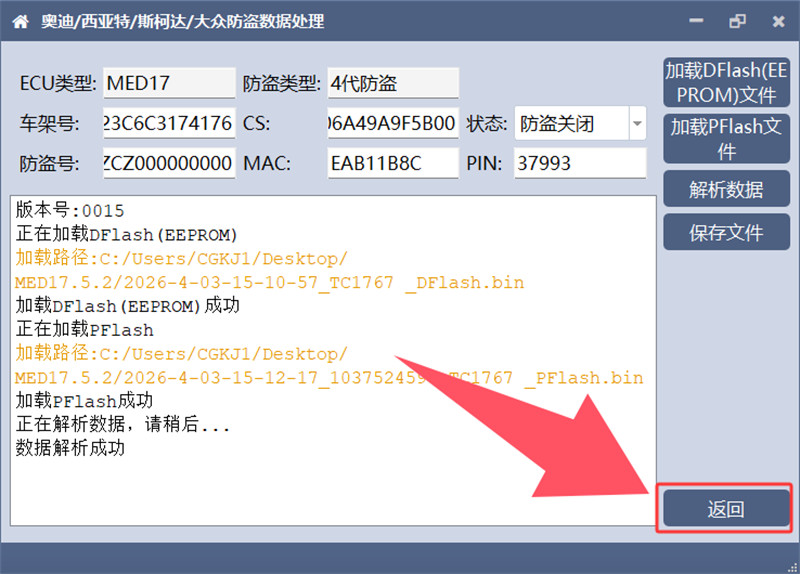
4.Save: Save this modified Dflash file, paying close attention to the filename. The Dflash preprocessing is now complete.
- Modify PFlash Data
Now that the Dflash is prepared, you can address the Pflash.
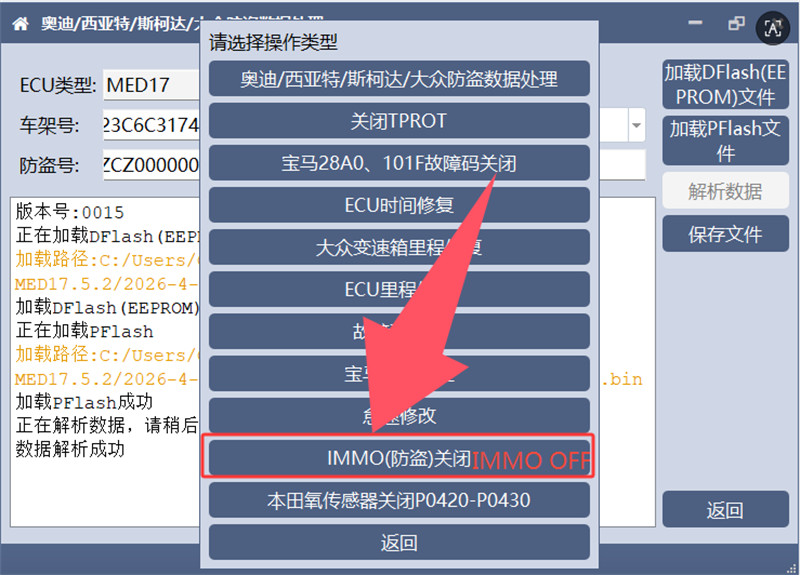
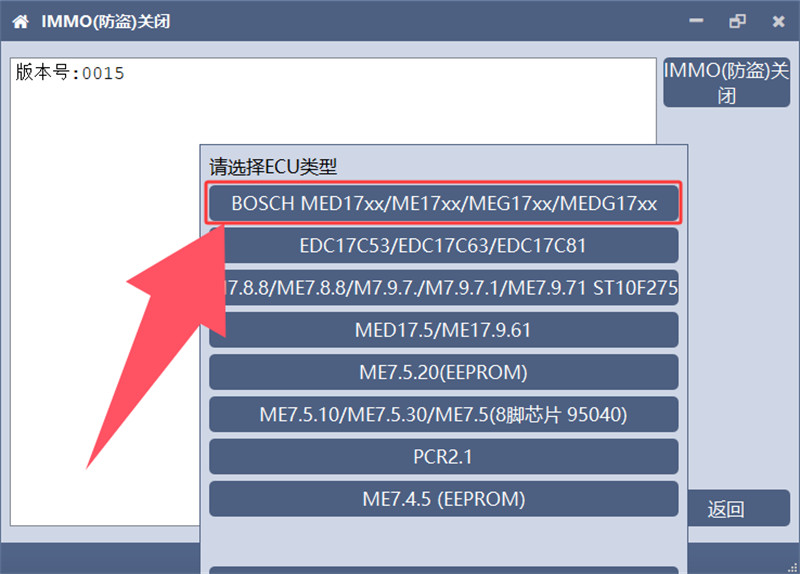
1.Select Function: Return to the main menu, select “IMMO OFF,” and choose the first option: BOSCH MED17XX.
2.Process Pflash: Load your original Pflash data. The software will automatically analyze and modify it.
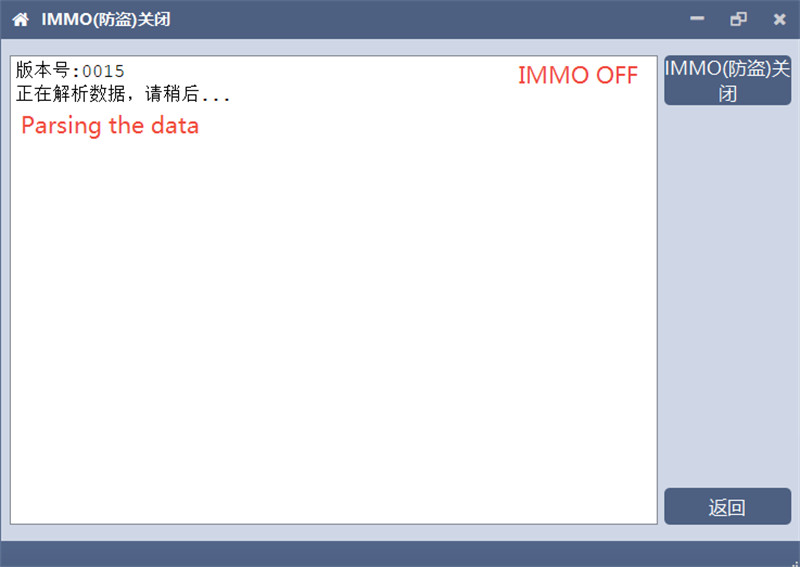
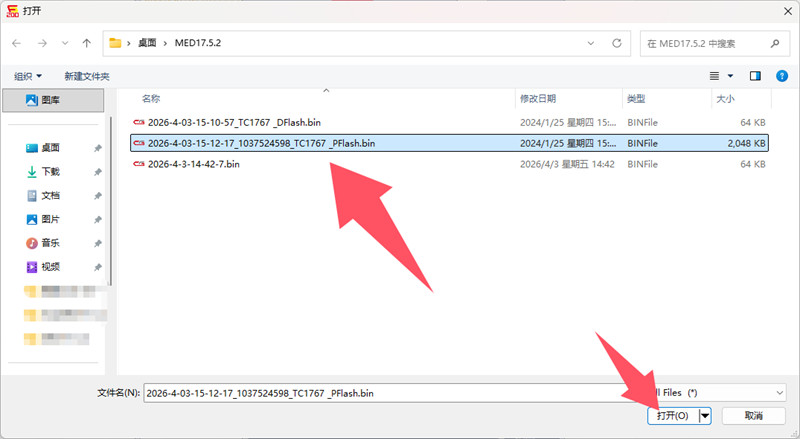
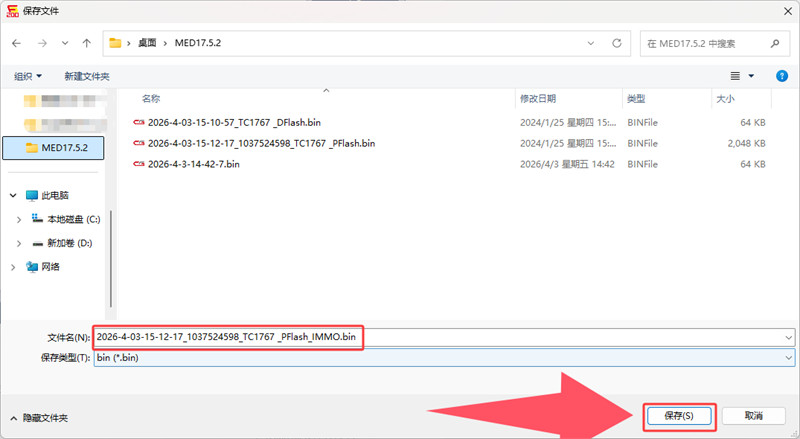
3.Save: The software will generate a new file (noted by “IMMO” at the end of the filename). Save this file carefully.
- WriteData and Final Test
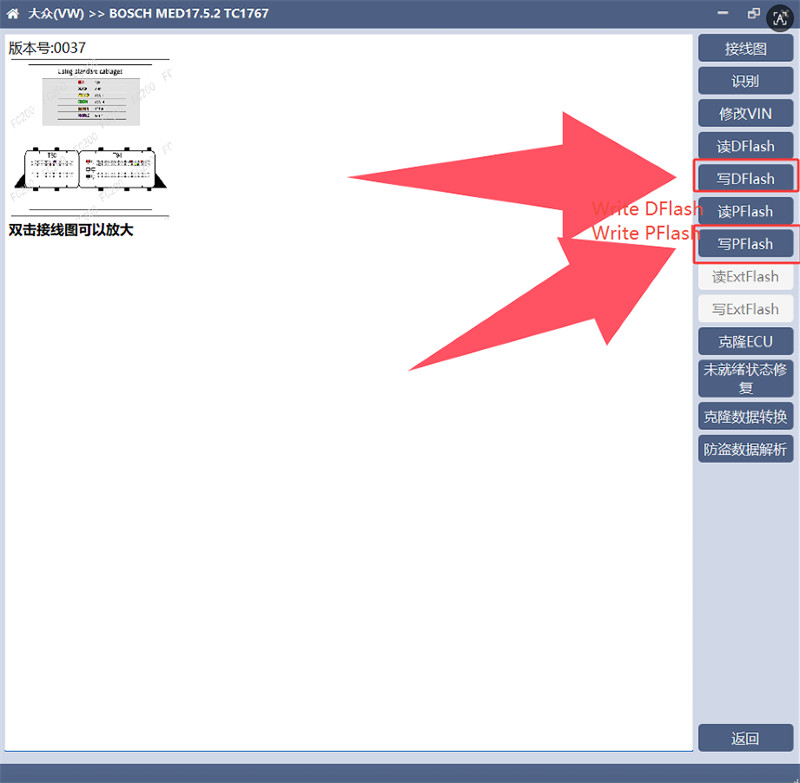
With both your processed Dflash and processed Pflash ready, it is time to write them back to the ECU.
1.Write Back: Use CG FC200 ECU Programmer to write both modified files back into the ECU.

2.Vehicle Test: Reinstall the ECU in the vehicle.
By following this dual-file modification process, the engine will start, and the instrument cluster will no longer show the “Immobilizer Active” warning.
Read also:
