

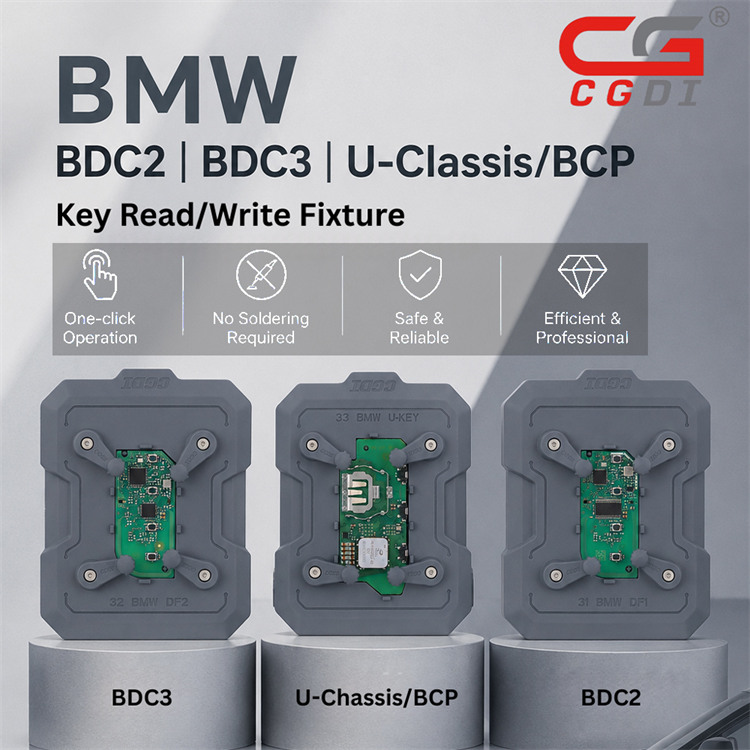
CGDI BMW BDC2 BDC3 BCP Key Read/Write Fixture is a specialized, solder-free tool designed for locksmiths to read and write data on BMW U-Chassis (G-series) BDC2/BDC3 keys. Working with CGDI K2 or CGDI A2, it allows for fast, one-click key cloning and duplication, including encrypted keys from Mexico or Hungary, without requiring disassembly. This solder-free solution allows even novice technicians to master BMW key repair and matching in under five minutes.
What’s Included?
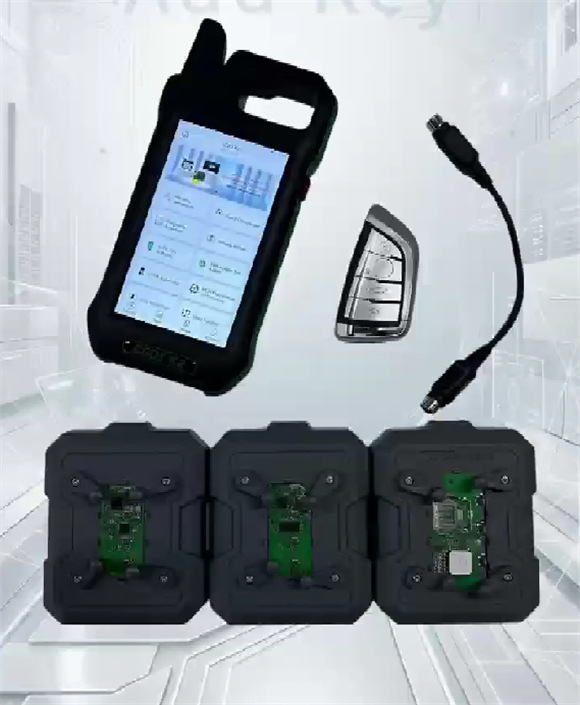
The kit features three specialized adapters:
- Fixture 31 BMW DF1: Dedicated for BDC2.
- Fixture 32 BMW DF2: Dedicated for BDC3.
- Fixture 33 BMW U-KEY: Dedicated for U-Chassis/BCP.
Why Upgrade Your Toolkit?
1.Zero-Risk Operation: Eliminate soldering irons and complex wiring. Just place the PCB in the fixture and start working—no risk of short circuits or chip damage.
2.Tailored Precision: Each adapter is engineered for specific modules (BDC2, BDC3, BCP), preventing the common errors associated with “universal” templates.
3.Superior Data Stability: High-grade copper contact points ensure lightning-fast, stable data transmission without the risk of data loss.
4.Maximize Your ROI: Reduce your service time from 15~30 minutes to just 3 minutes per key, allowing you to handle more customers and increase your daily revenue.
5.Built for the Field: Made from high-strength insulating materials, these compact fixtures are durable enough for the shop and portable enough for mobile service calls.
How to use CGDI BMW BDC2 BDC3 BCP Key Fixture?
1.Preparation Checklist:
- CGDI K2 Smart Key Tool/CGDI A2 Key Programmer
- BMW BDC2/BDC3/BCP Key PCB
- Corresponding CGDI Key Fixture (DF1, DF2, or U-Key)
- Remote Generate Cable
2.Step-by-Step Instructions:
1.Disassemble: Remove the BMW smart key shell to access the PCB.
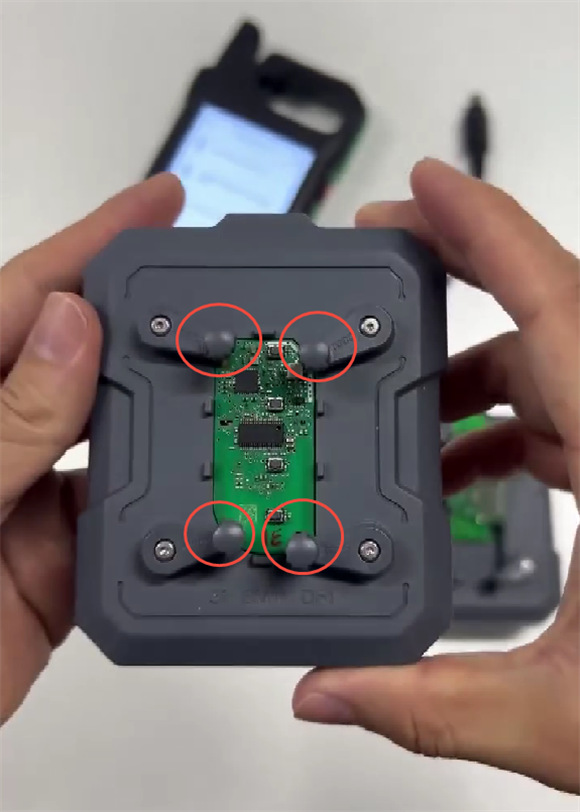
2.Mount: Place the PCB into the correct CGDI Fixture. Ensure it is fixed securely.
3.Align: Check that the copper contact points are perfectly aligned to the board to ensure flawless communication.
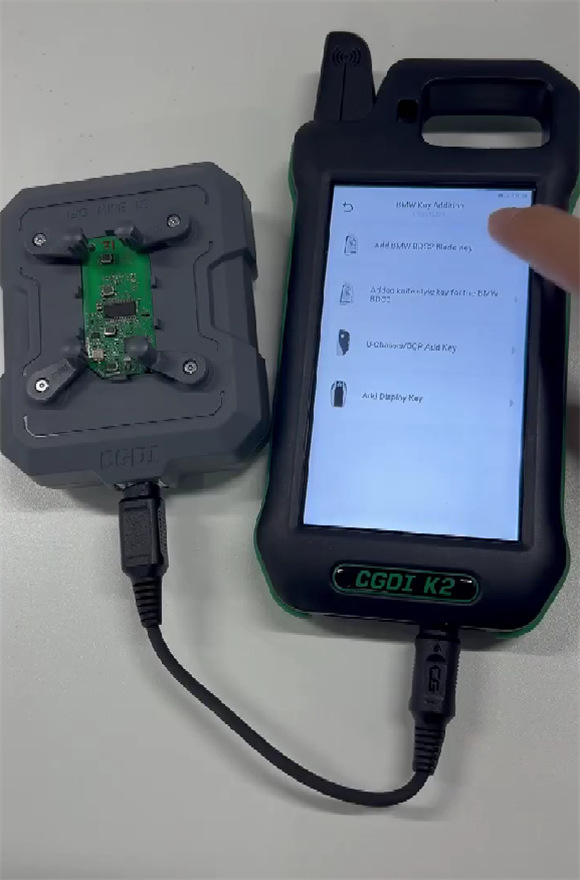
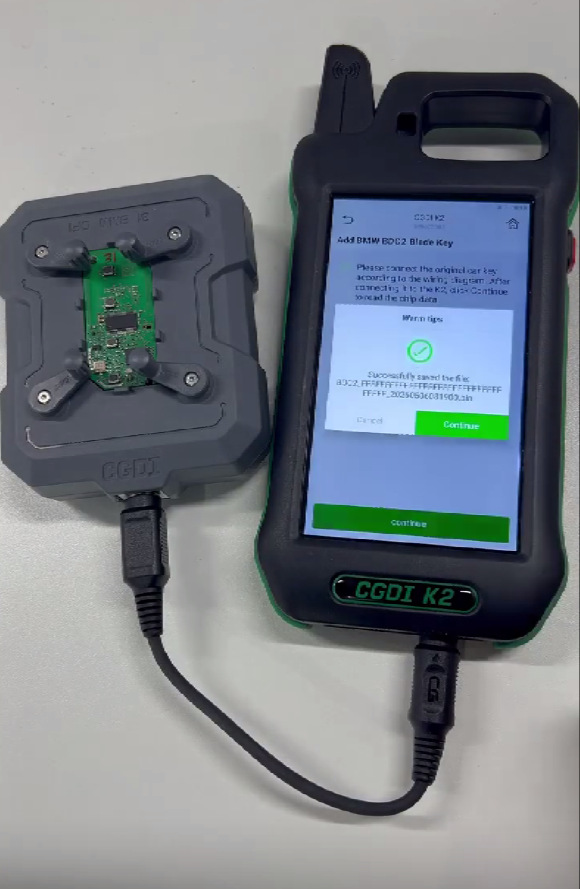
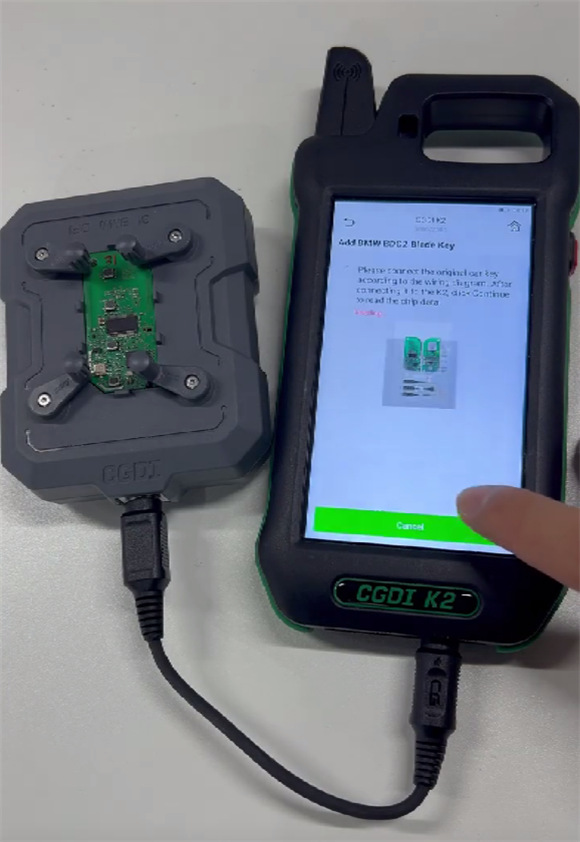
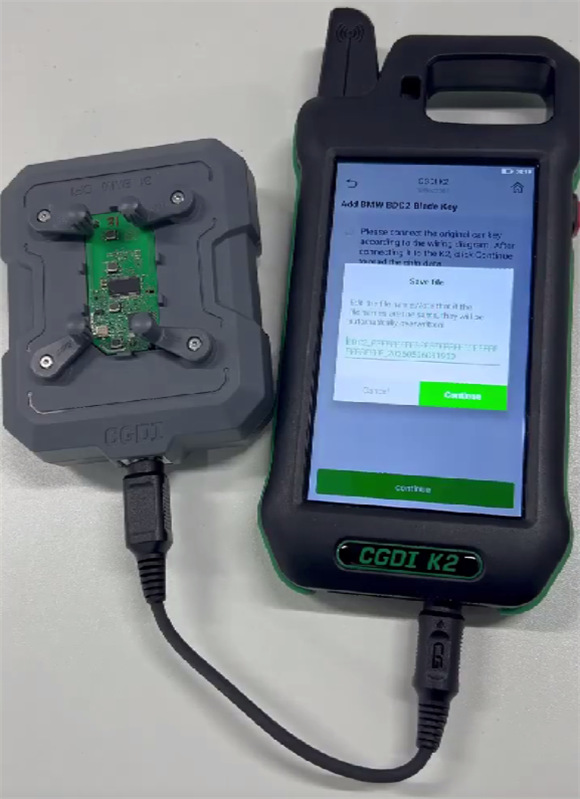
4.Connect: Use Remote Generate Cable to link CGDI BMW Key Fixture to your CGDI K2 Key Tool or A2 key programmer.
5.Software Setup: On your device, navigate to: BMW Key Addition -> Add BMW BDC2 Blade Key (or appropriate model) -> Start Operation.
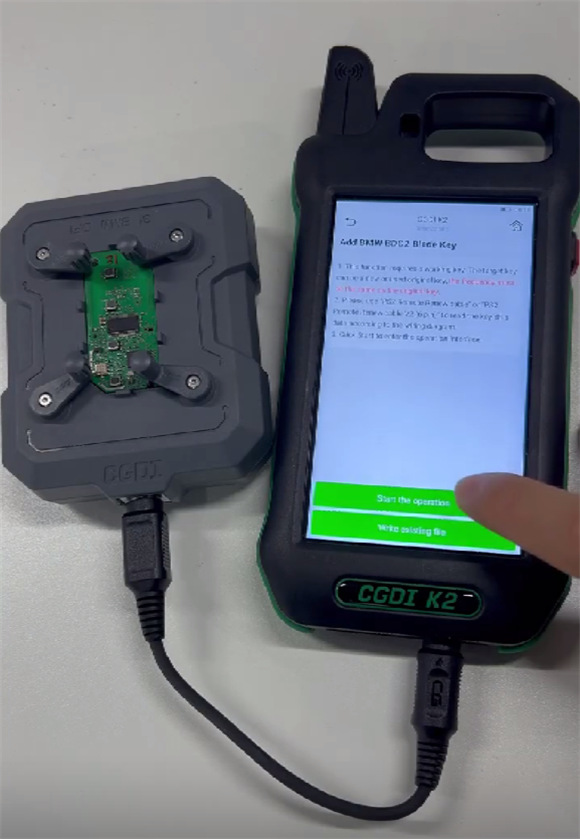
6.Read & Save: Confirm the key placement on the screen and follow the prompts to save the data file.
CGDI BDC2 BDC3 BCP Key Read/Write Fixture is available for pre-order now!
https://www.cgdishop.com/wholesale/cgdi-bmw-bdc2-bdc3-u-classis-bcp-fixture.html
