


Learn how to duplicate a new MQB48 key using the latest CGDI V-Engineer MLB MQB Programmer. Follow this step-by-step guide to identify chips, collect data, and program CG keys.
Preparation
- CGDIV-Engineer Programmer
- DB25Programming Cable (default in the package)
- 12V Power Supply
- Laptop / PC (with CGDI MLB software installed)
- Original Working KeyCircuit Board
- New OEM Key or CGDI Remote
Step-by-Step Duplication Guide
1.Connect Device
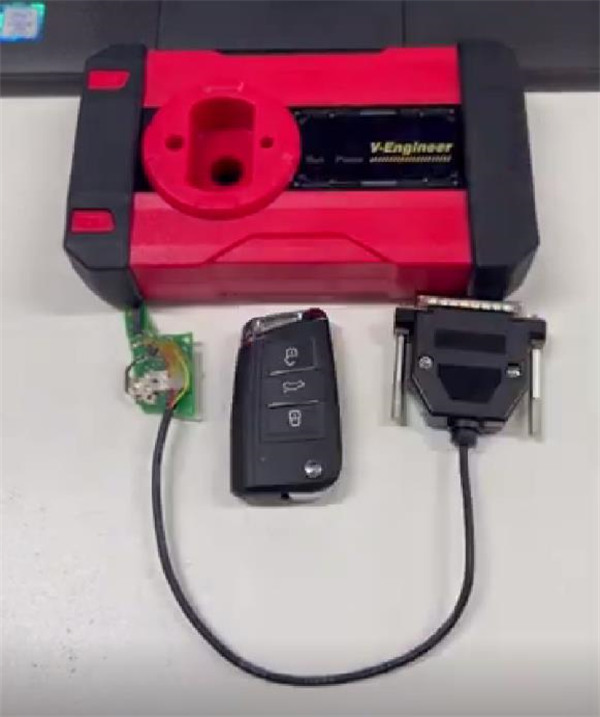
Connect CGDI DB25 Programming Cable to V-Engineer Programmer and original key board
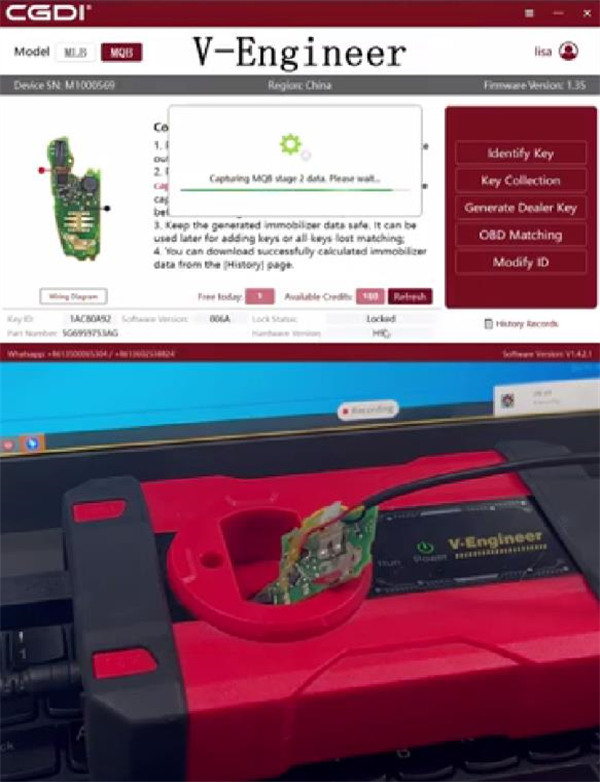
Put the key board into the coil of V-engineer Programmer
Connect device to computer and supply power
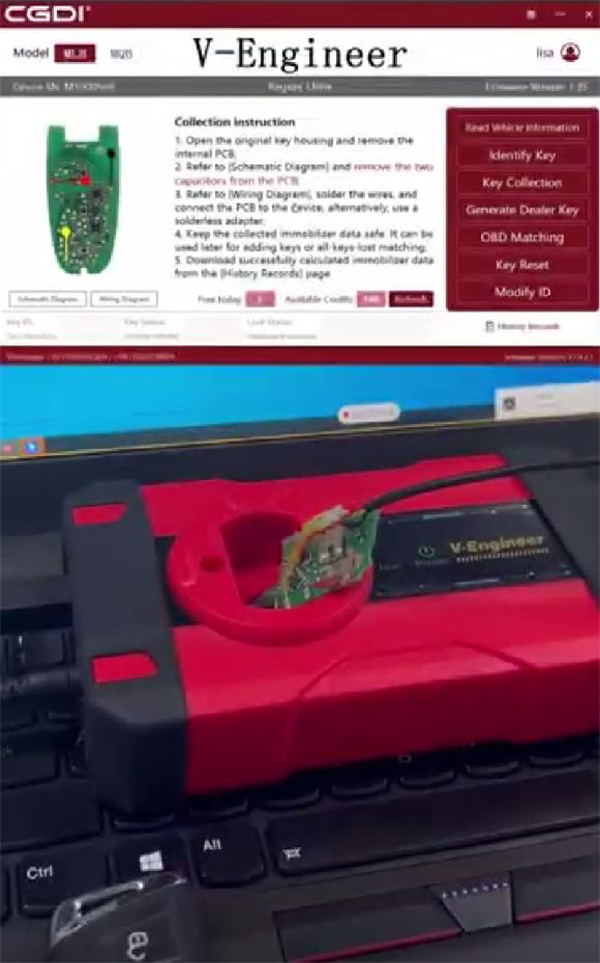
2.Identify Key
Open your CGDI V-Engineer software on a Windows PC
Select the newly released MQB module option
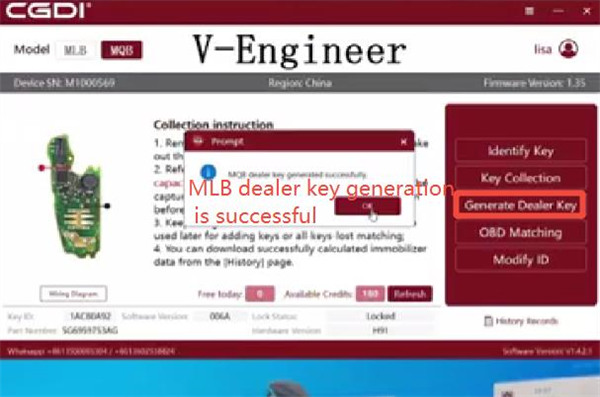
Click Identify Key to read the key chip status.
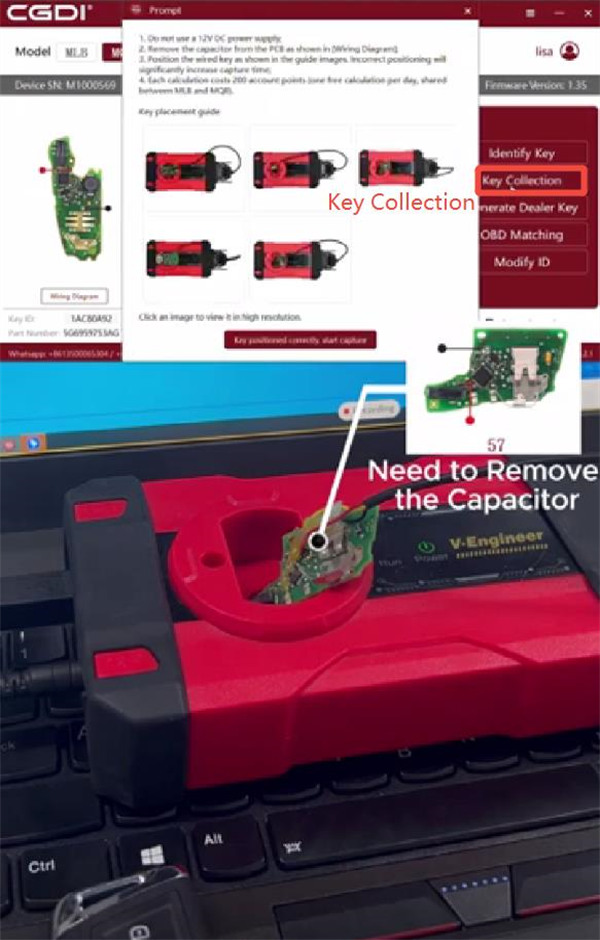
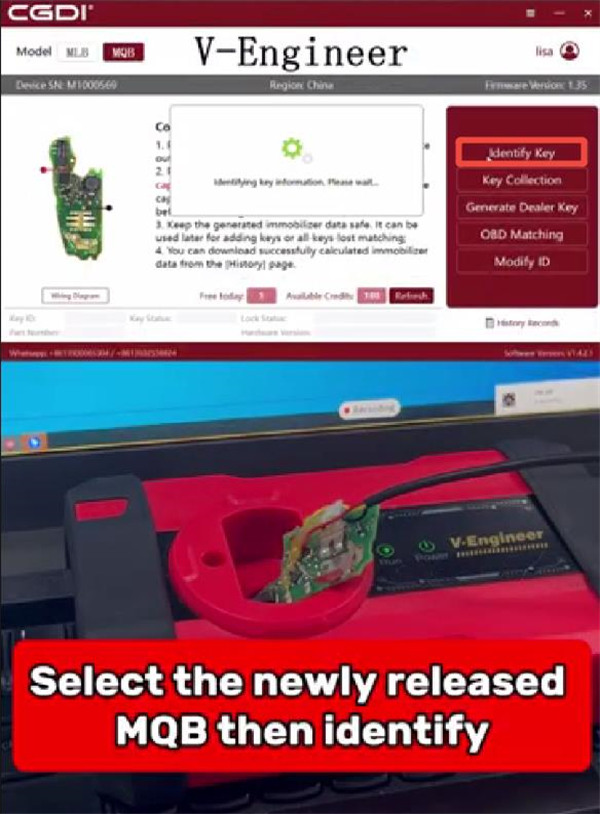
3.Collect Data
Follow the software placement guide carefully for optimal positioning.
Wait a few minutes while the device collects the required immobilizer data.
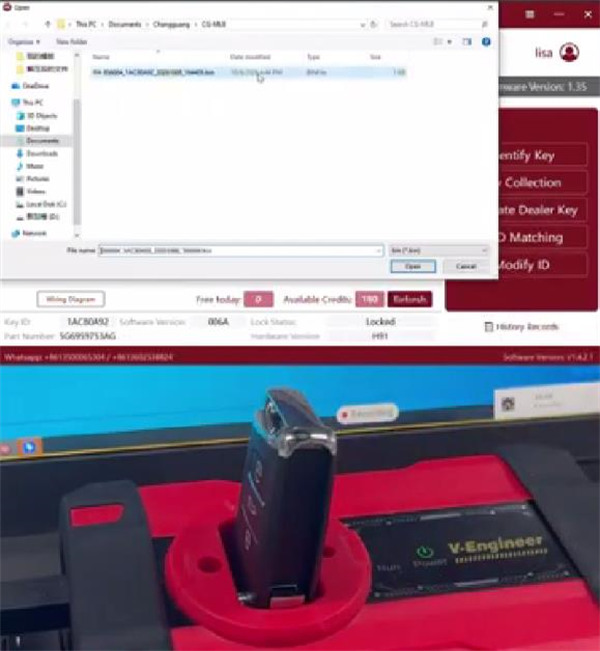
4.Write Data to CG Key
Insert the new CG blank key into the device slot
Note: Remote data can be generated by CGDI K2.
Click Generate Dealer Key
Write the calculated immobilizer data onto the key to complete the duplication process.